Summary: Application delivery services route, secure, and optimize traffic between users and applications. Best for SLA assurance: Radware Alteon; programmable control: F5 BIG-IP; multi-cloud automation: NetScaler; managed AWS workloads: AWS ELB.
What are Application Delivery Services?
Application delivery services include technologies and processes that deliver applications to end users reliably, securely, and with optimal performance. These services act as intermediary layers between clients and application servers, addressing issues such as load balancing, traffic management, security, and application acceleration.
The goal is to maximize application uptime and responsiveness while minimizing latency, outages, and security risks. Efficient application delivery services are essential as modern applications grow more complex and are distributed across cloud, hybrid, and on-premises environments.
With increasing user expectations and diversified application architectures, delivery services ensure scalability, adaptability, and the enforcement of access policies. They are critical for sustaining smooth digital experiences and meeting service-level objectives demanded by organizations and end users.
Editor's note: This article has been updated to cover recent market trends, current information about services to reflect features and capabilities in 2026, and two new services have been added.
This is part of a series of articles about application performance.
In this article:
The table below summarizes the key differences between the application delivery services covered in this article. We explore each of them in more detail in the sections that follow.
| Category |
ソリューション |
Best For |
Key Strengths |
Things to Consider |
| Dedicated ADC |
ラドウェア |
Organizations needing an ADC with application SLA assurance |
Hardware SSL offload, ICSA-certified WAF, and multi-cloud parity |
Advanced configuration has a learning curve |
| Dedicated ADC |
F5 BIG-IP Local Traffic Manager |
Enterprises needing programmable Layer 4–7 traffic management |
iRules programmability, strong SSL/TLS handling, DDoS defense |
High cost and complex initial setup |
| Dedicated ADC |
NetScaler ADC |
Large enterprises consolidating delivery and security at scale |
One-pass architecture, intent-based automation, observability |
Complex configuration and high licensing costs |
| Dedicated ADC |
A10 Networks Thunder |
Multi-cloud deployments needing portable load balancing |
Full-proxy L4–7 balancing, portable licensing, automation |
Higher cost and some CLI-only advanced settings |
| Dedicated ADC |
Kemp LoadMaster |
Hybrid environments needing application-specific templates |
L4/L7 balancing, built-in WAF, and broad authentication |
Dated interface; cross-network HA setup can be tricky |
| Dedicated ADC |
HAProxy |
High-traffic environments needing software-based balancing |
Very high throughput across TCP, UDP, QUIC, and HTTP |
CLI-driven configuration with a steep learning curve |
| Cloud-Native |
AWS Elastic Load Balancing |
AWS workloads needing managed, autoscaling distribution |
Four load balancer types with deep AWS integration |
Confusing pricing model and AWS-centric setup |
| Cloud-Native |
Microsoft Azure Application Gateway |
Azure web front ends needing Layer 7 routing and WAF |
URL/host-based routing, autoscaling, and end-to-end SSL |
Single-region scope and a complex interface |
| Cloud-Native |
Google Cloud Load Balancing |
Global applications needing single-IP, cross-region routing |
Global anycast IP, Cloud Armor security, fast autoscaling |
Complex pricing and less granular control |
| Cloud-Native |
Oracle Cloud Infrastructure (OCI) Load Balancer |
OCI workloads needing public or private regional balancing |
Automatic bandwidth scaling and built-in failover |
Complex setup and a smaller ecosystem than rivals |
The application delivery controllers (ADC) market is valued at USD 3.72 billion. It is projected to reach USD 5.69 billion by 2031, growing at a compound annual growth rate (CAGR) of 8.87%.
Major growth drivers include:
- The shift to cloud-native and microservices architectures: As enterprises move workloads into containers and serverless environments, they require lightweight, API-centric ADCs that integrate with Kubernetes and service meshes. These deployments demand granular traffic steering and automated scaling aligned with dynamic application behavior.
- East-west traffic growth inside data centers: Internal service-to-service communication now exceeds traditional north-south flows. Distributed ADC instances are deployed closer to workloads to provide telemetry, decryption, and policy enforcement without creating bottlenecks.
- Regulatory mandates that accelerate spending: For example, digital banking regulations in North America and Europe require stronger application-layer protections. Financial institutions are reinforcing API gateways, bot management, and encrypted traffic inspection within ADC stacks to meet compliance deadlines.
- In Asia-Pacific, 5G rollouts are driving edge ADC adoption: Low-latency use cases such as autonomous systems and industrial IoT require compact ADC instances at the network edge. These platforms manage quality of service, caching, and security in distributed environments.
- Global enterprise demand: Multi-cloud and hybrid IT strategies among large global enterprises further sustain long-term demand. Organizations need consistent policy enforcement and traffic control across heterogeneous infrastructure.
Despite growth, several constraints affect adoption. Complex Layer-7 policy configuration remains a burden for IT teams. Enterprises often manage hundreds of applications, each with specific routing, rewrite, and security rules. Maintaining these policies across multi-cloud environments strains DevSecOps resources.
Rising licensing costs also slow adoption, especially for small and mid-sized organizations. Subscription-based pricing and add-on security modules can increase total spend, particularly during transitions from hardware appliances to SaaS-delivered ADCs.
Application Delivery Controllers (ADCs)
Application Delivery Controllers are specialized network appliances or software platforms that combine multiple functions essential for application delivery. ADCs handle load balancing, SSL offloading, web application firewalling, and sometimes caching and compression. They provide granular control over traffic management and enable secure, fast, and reliable delivery of applications across diverse network environments.
Modern ADCs support extensive programmability and integration with DevOps pipelines, enabling policy-driven responses to changing network or application conditions. They offer deep visibility into traffic flows and automate the enforcement of security or optimization rules, which is particularly important as enterprises migrate workloads across mixed cloud and on-premises infrastructures.
Content Delivery Networks (CDNs)
Content Delivery Networks distribute application content—such as images, scripts, or media files—to strategically located proxy servers around the world. By caching and serving content from nodes geographically closer to users, CDNs reduce latency and improve page load times, regardless of where the origin server is hosted. This is useful for global organizations or high-traffic applications.
CDNs also bolster application availability and reliability by absorbing traffic surges, offloading origin servers, and mitigating risks from large-scale attacks like DDoS. Modern CDN offerings integrate dynamic content acceleration, API caching, and edge security.
Application Delivery Networks (ADNs)
Application Delivery Networks extend beyond CDNs by including application optimization, security, and intelligent routing across multiple, interconnected data centers or clouds. ADNs dynamically adapt to shifts in user demand or application location, steering traffic via the most efficient and reliable paths. This improves both end-user experience and backend operational efficiency.
By integrating components like WAN optimization and application-aware routing, ADNs minimize network congestion, accelerate application traffic, and ensure policy-compliant data transit. As organizations adopt hybrid and multi-cloud strategies, ADNs provide the abstraction and orchestration necessary for seamless, secure application delivery across distributed infrastructures.
Load Balancing
Load balancing is central to application delivery, distributing incoming network or application traffic across multiple servers to avoid overload on any single resource. By evenly allocating requests, load balancers prevent performance bottlenecks and ensure high availability, even during traffic spikes or individual server failures. Algorithms may be static (round robin) or dynamic, taking current server health and load into account.
The benefits of load balancing include reduced downtime and improved user experience through consistent application responsiveness. As cloud-native architectures and microservices gain prevalence, load balancing adapts to manage traffic within ephemeral or auto-scaling environments, integrating with orchestration systems for application scaling and failover.
Monitoring and Analytics
Monitoring and analytics enable proactive management and optimization of application performance by providing visibility into traffic patterns, user behavior, and infrastructure health. Real-time metrics and historical data help identify bottlenecks, anticipate capacity needs, and quickly troubleshoot outages or degradation before they impact users.
Advanced analytics tools also assist in security threat detection by highlighting anomalies and enabling root-cause analysis. Integrating these insights with automation frameworks allows organizations to dynamically scale resources, adjust policies, or implement remedial actions, ensuring applications remain resilient and compliant in dynamic network environments.
Learn more in our detailed guide to application performance monitoring.
How we selected these tools: We shortlisted application delivery services based on their load balancing, traffic management, SSL/TLS processing, security, and multi-cloud deployment capabilities.
Dedicated Application Delivery Controllers
1. Radware
Best for: Organizations needing an ADC with application SLA assurance
Strengths: Hardware SSL offload, ICSA-certified WAF, and multi-cloud parity
Things to consider: Advanced configuration has a learning curve
Radware Alteon is a next-generation application delivery controller positioned as a network load balancer that guarantees application SLA. It sits between clients and application servers, distributing traffic across servers and data centers while terminating, inspecting, and re-encrypting SSL traffic according to the Alteon SSL policy. Alteon combines server load balancing with customizable health checks, global server load balancing, application performance optimization, and integrated security.
It runs in physical and virtual form factors, including virtual appliances on AWS, Azure, VMware, and KVM, and uses functional parity across form factors so the same ADC service can move between environments. The platform includes analytics that monitor application performance and user experience to support service-level assurance.
Key features include:
- Server and global load balancing: Distributes requests across servers using customizable health checks, and global server load balancing directs users to the fastest-responding server in their geographic region for multi-site fault tolerance.
- SSL processing and offload: Uses dedicated SSL acceleration hardware to offload encryption and decryption from application servers; SSL traffic is terminated, inspected, and either re-encrypted or offloaded toward the backend per the Alteon SSL policy.
- Integrated web application firewall: Includes an ICSA Labs-certified WAF (Radware AppWall) providing web application and API protection with OWASP Top-10 coverage and zero-day protection.
- Application performance optimization: Embedded tools include an HTTP/2 gateway, compression, and TCP optimization for content delivery.
- AppShape++ scripting: A scripting library for customizing the ADC service to specific application flows and scenarios.
- Multi-cloud portability and automation: Functional parity across ADC form factors with automation tools for service portability and ADC lifecycle management across environments.
- Application analytics and SLA assurance: The Application Traffic Log dashboard provides transaction-level analytics for troubleshooting, root-cause analysis, and anomaly detection, supporting application service-level assurance.
Limitations (as reported by users on G2):
- Learning curve: Initial configuration and advanced policy tuning can require experienced personnel.
- Interface refinements: Some users report occasional bugs in the management interface.
- Maturing capabilities: Certain newer, AI-driven features are still developing.
2. F5 BIG-IP Local Traffic Manager

Best for: Enterprises needing programmable Layer 4–7 traffic management
Strengths: iRules programmability, strong SSL/TLS handling, DDoS defense
Things to consider: High cost and complex initial setup
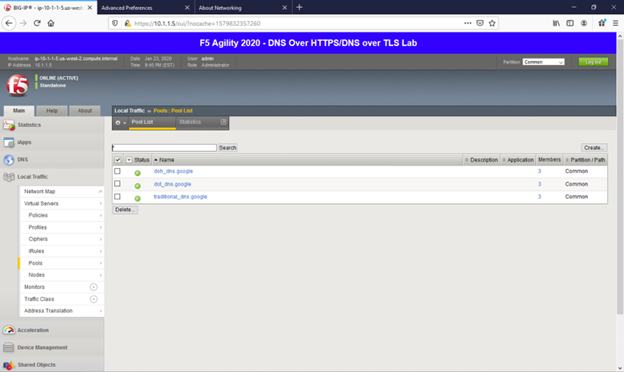
F5 BIG-IP Local Traffic Manager is an application delivery controller that sits between clients and hosts and manages network traffic so applications stay available, secure, and optimized. It selects the best host for each request based on server performance, security, and availability, and makes real-time protocol and traffic-management decisions.
LTM runs on F5 hardware appliances (rSeries and VELOS) or as Virtual Editions on hypervisors and cloud providers. It handles static and dynamic load balancing, SSL processing, caching, and TCP optimization, and is programmable through iRules. F5 positions LTM as part of its broader Application Delivery and Security Platform.
Key features include:
- Static and dynamic load balancing: Distributes application load across servers and clouds to eliminate single points of failure, with health monitoring to verify resource status.
- Traffic steering: Directs specific traffic types to resources suited to those workloads based on policies and application conditions.
- SSL processing: Provides SSL offload with cipher selection by policy, Perfect Forward Secrecy, HSM-based key protection, and post-quantum cryptography readiness.
- iRules programmability: A scripting language for granular control at Layers 4–7 to modify, redirect, or inspect traffic and apply custom rules.
- Protocol optimization and caching: TCP optimization for mobile performance, caching to offload repetitive traffic, and support for protocols including MQTT for IoT clients.
- Security: Detects and mitigates over 100 DDoS attack vectors and integrates with ICAP services for data loss prevention and antivirus.
- Analytics and logging: Real-time application health monitoring, F5 Analytics, high-speed logging to remote servers, and data export to third-party tools.
- Form factors and integrations: rSeries and VELOS hardware and Virtual Editions, cloud marketplace availability, and Container Ingress Services for orchestrators.
Limitations (as reported by users on G2):
- Cost: Pricing is high relative to competitors and is the most commonly cited drawback.
- Setup complexity: Initial configuration is complex, and license activation can gate access to features.
- Learning curve: The breadth of configuration options creates a steep learning curve.
- Update quality: Some users want fewer bugs in software releases.
Source: F5
3. NetScaler ADC

Best for: Large enterprises consolidating delivery and security at scale
Strengths: One-pass architecture, intent-based automation, observability
Things to consider: Complex configuration and high licensing costs
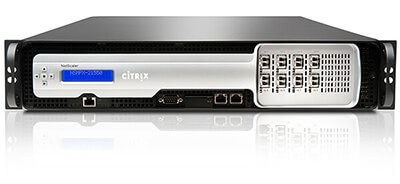
NetScaler is an application delivery and security platform that analyzes and manages Layer 4–7 traffic across hybrid cloud, on-premises, multi-cloud, and cloud-native environments. Deployed in front of application servers, it makes routing decisions from request data and combines load balancing, security, and performance optimization in a single management plane.
It uses a common code base across form factors and a one-pass architecture that processes security and ADC functions together to reduce latency. NetScaler supports intent-based, API-driven configuration and end-to-end observability across the traffic path, and is offered as software (VPX, CPX, BLX) and hardware (MPX, SDX).
Key features include:
- Layer 4–7 traffic management: Distributes requests based on application data such as URLs, headers, and cookies, with multiple algorithms and health checks.
- One-pass architecture: Processes security and ADC functions in a single pass to reduce latency, including WAF inspection.
- Intelligent traffic management: Uses real-time and historical telemetry to route traffic to locations with the lowest latency or fewest active connections.
- Application and API security: WAF, API protection, bot mitigation, and DDoS protection, with edge DNS resolution that scales to high request volumes.
- Intent-based automation: Declarative, policy-driven ADC lifecycle management plus infrastructure-as-code, NITRO and Next-Gen APIs, Terraform, and Ansible.
- Kubernetes support: Ingress and multi-cluster routing for containerized environments, with integrations for OpenShift, EKS, AKS, and GKE.
- End-to-end observability: Collects hundreds of traffic data points to identify performance and security issues and convert them into policy actions.
- Form factors: VPX virtual machine, CPX container, and BLX bare-metal software, plus MPX and SDX hardware.
Limitations (as reported by users on G2):
- Configuration complexity: Complex to configure and manage, and features can be hard to discover in the console.
- Licensing cost: High licensing costs for advanced editions and large deployments.
- Documentation gaps: Users report limited detail for automation via the API and Ansible.
- Learning curve: Using the full feature set has a steep learning curve.
Source: LinkedIn
4. A10 Networks Thunder

Best for: Multi-cloud deployments needing portable load balancing
Strengths: Full-proxy L4–7 balancing, portable licensing, automation
Things to consider: Higher cost and some CLI-only advanced settings
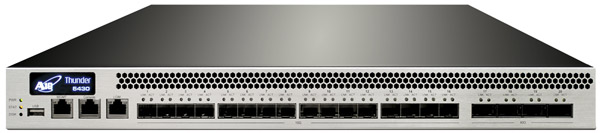
A10 Thunder ADC is an application delivery controller that provides full-proxy Layer 4–7 load balancing, security, and performance optimization across hybrid and multi-cloud environments. It distributes traffic across multiple data centers and clouds with agile traffic control, customizable health checks, and aFleX scripting.
Thunder ADC runs in hardware, virtual, cloud, bare metal, and container form factors and uses FlexPool licensing for capacity portability across deployments. It integrates security functions such as SSL/TLS offload, WAF, single sign-on, and DDoS protection, and provides per-application visibility through A10 Control.
Key features include:
- Server load balancing: Full-proxy Layer 4–7 distribution with agile traffic control, customizable service health checks, and aFleX scripting.
- Performance acceleration: Caching, TCP optimization, and TLS/SSL offload, including modern ECC ciphers, to reduce latency.
- Integrated security: Web application firewall, single sign-on, CAPTCHA, web and DNS firewalls, and DDoS protection.
- Any-cloud deployment: Runs across hardware, virtual, cloud, bare metal, and container form factors with license portability via FlexPool.
- Global server load balancing: Distributes traffic across clouds and regions with localized server responses for business continuity.
- Per-application analytics: A10 Control provides visibility into traffic profiles, user experience, and health checks.
- Automation and APIs: The aXAPI REST interface offers full API coverage, plus Terraform, Ansible, and Kubernetes service discovery via the Thunder Kubernetes Connector.
- Multi-tenancy: Isolated or high-density multi-tenant deployments with role-based access control.
Limitations (as reported by users on G2):
- Cost: Frequently described by users as expensive.
- WAF depth: Some users find the WAF capabilities limited, and certain settings are configurable only via CLI.
- High-availability setup: HA configuration can be difficult, and backups may interrupt service.
- Lock-in and lead times: Concerns about vendor lock-in and long hardware delivery times.
Source: A10 Networks
5. Kemp LoadMaster

Best for: Hybrid environments needing application-specific templates
Strengths: L4/L7 balancing, built-in WAF, and broad authentication
Things to consider: Dated interface; cross-network HA setup can be tricky
Progress Kemp LoadMaster is an application delivery controller that provides load balancing and security across cloud, Kubernetes, and on-premises environments. It directs and controls traffic between clients and servers using Layer 4 and Layer 7 load balancing and reverse proxy, with automatic detection of server failures and redirection to healthy servers.
LoadMaster includes a built-in WAF, certificate lifecycle management, and a range of authentication and access-control options. It is available as virtual, hardware, and cloud form factors, includes application templates for common workloads, and offers centralized management for monitoring application delivery.
Key features include:
- Layer 4/7 load balancing: Distributes traffic across applications and environments with multiple session persistence options and application health checking.
- Global server load balancing: Distributes traffic across data centers and clouds, with high-availability pair deployment for resilience.
- SSL/TLS offload and certificates: Handles encryption and certificate lifecycle management, including ACME certificate renewal.
- Built-in security: WAF with OWASP Top-10 protection and daily IP reputation updates, plus IP- or country-level blocking.
- Authentication and access: Pre-authentication via SAML, RADIUS, LDAP, and Active Directory, with single sign-on, MFA, custom login forms, and Zero Trust access control.
- Performance features: Content caching, compression, HTTP/2 proxying, clustering, and Direct Server Return.
- Application templates: Preconfigured templates for workloads such as Exchange and ADFS.
- Deployment options: Virtual LoadMaster, hardware appliances, and cloud editions for AWS and Azure, plus a Kubernetes Ingress Controller.
Limitations (as reported by users on G2):
- Interface: The UI is considered dated, and the menu-based CLI console is disliked by some users.
- Guidance for complex features: WAF exception rules and advanced setup lack built-in guidance.
- HA across networks: Setting up high availability across separate networks can be difficult.
- Licensing: Moving between license models can require reinstallation.
6. HAProxy

Best for: High-traffic environments needing software-based balancing
Strengths: Very high throughput across TCP, UDP, QUIC, and HTTP
Things to consider: CLI-driven configuration with a steep learning curve
HAProxy is a software load balancer and reverse proxy for high-performance, highly available application environments. It distributes traffic for HTTP, TCP, UDP, and QUIC applications and is widely used to support high-traffic websites and services. Built on an open-source core and delivered through the HAProxy One platform, it can handle over two million requests per second with SSL/TLS on a single instance while maintaining low latency and resource use.
HAProxy combines load balancing with an integrated API gateway and AI gateway, and supports Kubernetes routing and ingress. The platform includes a data plane (HAProxy Enterprise) and a control plane (HAProxy Fusion) for managing multi-cluster and multi-cloud deployments.
Key features include:
- High-performance load balancing: Routes traffic over HTTP, TCP, UDP, and QUIC, handling over two million requests per second with SSL/TLS on a single instance.
- SSL/TLS processing: Handles SSL/TLS processing for encrypted traffic across application environments.
- UDP load balancing: Low-latency handling for DNS, RADIUS, and Syslog traffic with high datagram delivery rates.
- High availability: Health checks and performance optimizations supporting uptime approaching 99.999%.
- Kubernetes support: External load balancing, multi-cluster routing, direct-to-pod balancing, and high-performance ingress.
- API and AI gateway: Integrated gateway functions for scaling APIs and AI/ML applications.
- Control plane management: HAProxy Fusion provides lifecycle management, monitoring, and automation across clusters, clouds, and teams.
- Flexible deployment: A data plane layer that runs across bare metal, VMs, Kubernetes, public cloud, and multi-cloud.
Limitations (as reported by users on G2):
- No native GUI: The open-source version is configured through files and CLI unless the Enterprise edition is purchased.
- Learning curve: Configuration syntax is specific, and small errors are hard to debug.
- Documentation style: Documentation reads as a reference manual, which can slow onboarding.
- Dynamic management: Limited native API for dynamic backend changes in service-discovery-heavy environments.
Vendor-Managed/Cloud-Native Application Delivery Services
7. AWS Elastic Load Balancing

Best for: AWS workloads needing managed, autoscaling distribution
Strengths: Four load balancer types with deep AWS integration
Things to consider: Confusing pricing model and AWS-centric setup
AWS Elastic Load Balancing is a managed service that distributes incoming application traffic across targets such as EC2 instances, containers, IP addresses, Lambda functions, and virtual appliances in one or more Availability Zones. It automatically routes requests to healthy targets and scales capacity with traffic demand.
ELB offers four load balancer types: Application Load Balancer for Layer 7, Network Load Balancer for Layer 4, Gateway Load Balancer for third-party appliances, and the legacy Classic Load Balancer. Each type supports different protocols, target types, and features, and the service integrates with AWS monitoring, security, and container services.
Key features include:
- Multiple load balancer types: Application Load Balancer (Layer 7; HTTP, HTTPS, gRPC), Network Load Balancer (Layer 4; TCP, UDP, TLS), Gateway Load Balancer (Layer 3 gateway plus Layer 4), and Classic Load Balancer.
- Layer 7 routing: Application Load Balancer supports HTTP header-based routing, redirects, fixed responses, HTTP/2, and gRPC.
- Automatic scaling and availability: Scales request-handling capacity automatically and distributes traffic across multiple Availability Zones, including for volatile spikes.
- Health checks: Configurable health checks per type so traffic routes only to healthy targets.
- Security: Security groups, SSL offloading, Server Name Indication, back-end encryption, user authentication on ALB, and ALPN.
- Connection handling: Slow start, connection draining, configurable idle timeout, source IP preservation, WebSockets, and cross-zone load balancing.
- Kubernetes integration: Direct-to-pod routing, multiple namespaces, and support for private EKS clusters.
- Logging and monitoring: CloudWatch metrics, access logging, CloudTrail API tracking, and deletion protection.
Limitations (as reported by users on G2):
- Pricing clarity: The pricing model is hard to predict under variable traffic, and advanced security adds cost.
- Configuration: More manual setup and a steeper learning curve than some alternatives.
- Troubleshooting: Certain settings are difficult to troubleshoot.
- Support tiers: Lower support tiers receive mixed feedback on response times.
8. Microsoft Azure Application Gateway
Best for: Azure web front ends needing Layer 7 routing and WAF
Strengths: URL/host-based routing, autoscaling, and end-to-end SSL
Things to consider: Single-region scope and a complex interface
Microsoft Azure Application Gateway is a Layer 7 load balancer for web application traffic that routes requests using application-level attributes such as URL paths and host headers. It analyzes HTTP requests and directs them to backend pools based on application logic, and it autoscales instances based on traffic load.
Application Gateway provides end-to-end SSL, SSL offload with centralized certificate management, and an integrated web application firewall. It integrates with Azure services including Traffic Manager, Monitor, Security Center, and Key Vault, and a container variant supports Kubernetes-based workloads via the Gateway and Ingress APIs.
Key features include:
- Application-layer load balancing: Routes traffic based on HTTP attributes such as host headers and URL paths.
- URL path-based routing: Directs different content types or paths to separate backend pools, and host-based routing serves multiple applications.
- Web application firewall: Protects against vulnerabilities such as SQL injection and cross-site scripting, with custom rules to reduce false positives.
- SSL handling: End-to-end SSL encryption plus SSL offload and centralized certificate management.
- Autoscaling and redundancy: Automatically scales instances with traffic and supports zone redundancy.
- Container support: Application Gateway for Containers load-balances Kubernetes workloads via the Gateway API and Ingress spec.
- Azure integration: Works with Traffic Manager for multi-region failover, Monitor and Security Center for monitoring, and Key Vault for certificate management.
- Backend options: Supports Azure VMs, virtual machine scale sets, and App Service web apps as backends.
Limitations (as reported by users on G2):
- Cost: Can be expensive for high-traffic workloads.
- Interface: The interface is complex, and navigation is difficult for new users.
- Setup: Initial setup and configuration are effort-heavy.
- Functional scope: Confined to a single Azure region and web traffic, and cannot balance traffic between VPNs.
9. Google Cloud Load Balancing
Best for: Global applications needing single-IP, cross-region routing
Strengths: Global anycast IP, Cloud Armor security, fast autoscaling
Things to consider: Complex pricing and less granular control
Google Cloud Load Balancing is a managed service that distributes application traffic across backend resources such as virtual machines, containers, and serverless services over Google's global network. It uses a single anycast IP address to route requests to the most appropriate backend based on proximity, capacity, and health.
The service provides Application Load Balancers at Layer 7 for HTTP(S) traffic and Network Load Balancers at Layer 4 for TCP, SSL, and IP protocols including UDP. It scales automatically without pre-warming and integrates with Google Cloud Armor for security and Cloud CDN for content delivery, with SSL offload for centralized certificate management.
Key features include:
- Global load balancing: A single global anycast IP distributes traffic across multiple regions and backends based on proximity, capacity, and health.
- Layer 7 and Layer 4: Application Load Balancers handle HTTP(S); Network Load Balancers handle TCP, SSL, and IP protocols such as UDP, with TLS offload via a proxy load balancer.
- Automatic scaling: Scales from zero to full traffic in seconds without pre-warming and can divert traffic to other regions during spikes.
- Cloud Armor integration: Provides rate limiting, Layer 7 filtering, DDoS protection, and web application firewall policies at Google's edge.
- SSL handling: SSL offload with centralized certificate management and decryption.
- Cloud CDN integration: Caches and accelerates content delivery for global users.
Limitations (as reported by users on G2):
- Setup complexity: Configuration is complex, and selecting the right load balancer type is not straightforward.
- Pricing: The pricing structure is complex, with cross-region data-transfer fees that are hard to budget.
- Control granularity: As a managed service, it offers less control over custom algorithms, health checks, and specialized routing.
- Traffic spikes: Sudden instantaneous spikes can require advance scaling.
10. Oracle Cloud Infrastructure (OCI) Load Balancer

Best for: OCI workloads needing public or private regional balancing
Strengths: Automatic bandwidth scaling and built-in failover
Things to consider: Complex setup and a smaller ecosystem than rivals
Oracle Cloud Infrastructure Flexible Load Balancer is a managed service that distributes incoming application connections across backend compute resources within a virtual cloud network. It supports public and private load balancers and directs traffic only to healthy instances based on configurable policies and health checks.
Each load balancer runs as two devices across availability domains to provide failover, and bandwidth scales automatically between defined minimum and maximum values. The service supports HTTP, HTTPS, and TCP listeners, session persistence, and routing policies based on HTTP headers or URLs, and integrates with OCI monitoring and identity management.
Key features include:
- Automated traffic distribution: Routes requests from a single entry point across multiple backend servers using strategies such as least load.
- Health checks and failover: Monitors backend servers and excludes non-responsive resources; each load balancer uses two devices across availability domains for failover.
- Public and private load balancers: Deploys with public or private IP addresses depending on access requirements.
- Protocol support: Listeners for HTTP, HTTPS, and TCP, with multiple listeners per load balancer.
- Automatic bandwidth scaling: Scales bandwidth between configured minimum and maximum values.
- Routing and persistence: Routing policies based on HTTP headers or URLs, with session persistence to keep clients on the same backend.
- HTTPS termination: SSL/TLS termination and offloading with cipher suite management.
- Monitoring integration: Performance metrics and alerts through OCI monitoring tools, plus IPv4/IPv6 dual-stack support.
Limitations (as reported by users on G2):
- Setup complexity: Configuration challenges new users, and the learning curve is slow.
- Interface: The monitoring dashboard and console could be more user-friendly.
- Ecosystem maturity: Fewer reviews and less mature ecosystem support than AWS and Azure load balancers.
まとめ
Application delivery services help ensure that applications remain available, responsive, and secure across diverse environments. By combining traffic management, optimization, and security functions, these services address the challenges posed by modern distributed and cloud-native architectures. As user demand and application complexity continue to grow, the need for scalable, policy-driven, and performance-focused delivery solutions becomes increasingly essential for maintaining service continuity.